Schema markup is one of the most direct levers for improving click-through rates in ecommerce. A product listing with star ratings, price, and availability visible in the SERP gets more clicks than a plain blue link. Full stop. Yet most ecommerce stores either don't implement schema or implement it incorrectly.
I've audited schema implementations on hundreds of ecommerce sites. The error rate is staggering. Even sites doing millions in revenue have broken or incomplete structured data. This is low-hanging fruit that most stores are leaving on the table.
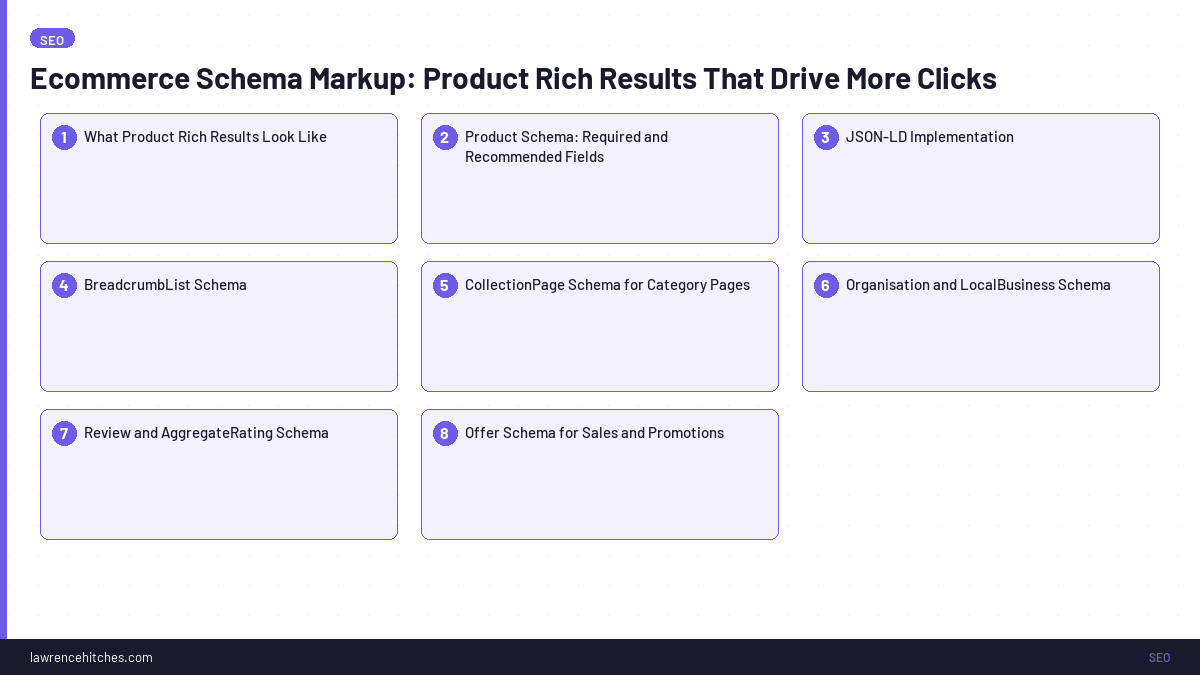
Here's how to do it right. Across every schema type that matters for ecommerce.
What Product Rich Results Look Like
When you implement product schema correctly, Google can show your product pages with rich results that include:
- Star rating and review count
- Price and currency
- Availability status (In Stock / Out of Stock / Pre-Order)
- Shipping price or free shipping badge
- Returns policy summary
These rich results are shown for product pages. Not category pages, not blog posts, not homepages. Each individual product page needs its own Product schema implementation.
The CTR impact is significant. In my experience, product rich results increase click-through rate by 20-35% compared to standard blue links. When your competitors have rich results and you don't, the gap is even wider.
Product Schema: Required and Recommended Fields
According to Google Search Central's product structured data documentation, the required fields to be eligible for rich results are:
name. The product nameimage. URL(s) of product images
To show price and availability in search results, you also need:
offerswithprice,priceCurrency, andavailability
To show star ratings:
aggregateRatingwithratingValueandreviewCount
Recommended additional fields that I always implement:
description. Helps Google understand the product beyond just the nameskuormpn. Product identifiers that help Google match your product to searchesgtin(GTIN/EAN/UPC), Particularly valuable for Google Shopping and product knowledge panelsbrand. Associates the product with a brand entityreview. Individual review markup for detailed review snippetsshippingDetails. Shows shipping cost/speed directly in search resultshasMerchantReturnPolicy. Displays return policy information in the SERP
JSON-LD Implementation
Always use JSON-LD for schema markup. It's Google's recommended format and doesn't require modifying HTML structure. Here's a complete Product schema example:
<script type="application/ld+json">
{
  "@context": "https://schema.org",
  "@type": "Product",
  "name": "Nike Air Max 270 Men's Running Shoes",
  "image": [
    "https://example.com/images/air-max-270-1.webp",
    "https://example.com/images/air-max-270-2.webp"
  ],
  "description": "The Nike Air Max 270 features the brand's biggest heel Air unit yet for a super-soft ride.",
  "brand": {
    "@type": "Brand",
    "name": "Nike"
  },
  "sku": "AIR-MAX-270-WHT-10",
  "gtin13": "0194501234567",
  "offers": {
    "@type": "Offer",
    "url": "https://example.com/products/nike-air-max-270",
    "priceCurrency": "AUD",
    "price": "219.99",
    "availability": "https://schema.org/InStock",
    "itemCondition": "https://schema.org/NewCondition",
    "shippingDetails": {
      "@type": "OfferShippingDetails",
      "shippingRate": {
        "@type": "MonetaryAmount",
        "value": "0",
        "currency": "AUD"
      },
      "deliveryTime": {
        "@type": "ShippingDeliveryTime",
        "handlingTime": {
          "@type": "QuantitativeValue",
          "minValue": "1",
          "maxValue": "2",
          "unitCode": "DAY"
        },
        "transitTime": {
          "@type": "QuantitativeValue",
          "minValue": "3",
          "maxValue": "7",
          "unitCode": "DAY"
        }
      },
      "shippingDestination": {
        "@type": "DefinedRegion",
        "addressCountry": "AU"
      }
    },
    "hasMerchantReturnPolicy": {
      "@type": "MerchantReturnPolicy",
      "applicableCountry": "AU",
      "returnPolicyCategory": "https://schema.org/MerchantReturnFiniteReturnWindow",
      "merchantReturnDays": "30",
      "returnMethod": "https://schema.org/ReturnByMail",
      "returnFees": "https://schema.org/FreeReturn"
    }
  },
  "aggregateRating": {
    "@type": "AggregateRating",
    "ratingValue": "4.7",
    "reviewCount": "183"
  }
}
</script>
BreadcrumbList Schema
BreadcrumbList schema shows your site's category hierarchy in search results. This is particularly valuable for ecommerce because it helps searchers understand where a product sits in your catalogue before clicking.
Example SERP breadcrumb output: YourStore > Running Shoes > Nike > Air Max 270
Implement BreadcrumbList on every product and category page. Most SEO plugins (Yoast, RankMath) generate this automatically if you enable breadcrumb display on your theme, but verify it's outputting correctly with Google's Rich Results Test.
<script type="application/ld+json">
{
  "@context": "https://schema.org",
  "@type": "BreadcrumbList",
  "itemListElement": [
    {"@type": "ListItem", "position": 1, "name": "Home", "item": "https://example.com/"},
    {"@type": "ListItem", "position": 2, "name": "Running Shoes", "item": "https://example.com/running-shoes/"},
    {"@type": "ListItem", "position": 3, "name": "Nike", "item": "https://example.com/running-shoes/nike/"},
    {"@type": "ListItem", "position": 4, "name": "Air Max 270"}
  ]
}
</script>
CollectionPage Schema for Category Pages
Category pages are the workhorses of ecommerce SEO. While Product schema applies to individual product pages, CollectionPage schema tells Google that a URL is a curated collection of products.
Pair this with ItemList schema to list the products on the page:
<script type="application/ld+json">
{
  "@context": "https://schema.org",
  "@type": "CollectionPage",
  "name": "Men's Running Shoes",
  "description": "Shop our full range of men's running shoes from Nike, Adidas, and ASICS.",
  "url": "https://example.com/mens-running-shoes/",
  "mainEntity": {
    "@type": "ItemList",
    "numberOfItems": 48,
    "itemListElement": [
      {"@type": "ListItem", "position": 1, "url": "https://example.com/products/nike-air-max-270"},
      {"@type": "ListItem", "position": 2, "url": "https://example.com/products/adidas-ultraboost-23"},
      {"@type": "ListItem", "position": 3, "url": "https://example.com/products/asics-gel-kayano-30"}
    ]
  }
}
</script>
This helps Google understand the relationship between your category pages and product pages, reinforcing your site architecture for crawling and indexing.
Organisation and LocalBusiness Schema
Your homepage (and about page) should include Organisation schema. If you have physical stores, add LocalBusiness schema for each location. This establishes your business entity in Google's knowledge graph.
For ecommerce brands with physical retail locations, LocalBusiness schema is particularly important because it connects your online store to your Google Business Profile and can trigger knowledge panels in branded searches.
Review and AggregateRating Schema
Beyond the aggregateRating within Product schema, consider implementing individual Review schema for your most-reviewed products. This can trigger review snippets in search results. Showing actual customer quotes alongside star ratings.
Important: Google has strict policies on review schema. Reviews must be genuine customer submissions. Self-authored or editorial reviews don't qualify for product review rich results. Third-party review platforms (Judge.me, Yotpo, Trustpilot) usually handle the schema output correctly.
Offer Schema for Sales and Promotions
When running sales, update your Offer schema to include:
priceValidUntil. Shows the sale end date in search results, creating urgencyprice. Update to reflect the sale price- Consider adding
PriceSpecificationwith both regular and sale prices
I've seen sites that dynamically update schema during promotional periods get a measurable CTR boost. The price shown in the SERP matches the sale price, which draws more clicks than competitors showing full price.
SiteNavigationElement Schema
For large ecommerce sites, SiteNavigationElement schema helps Google understand your primary navigation structure. It's not widely used yet, which means it's a differentiator. Implement it on your global navigation to reinforce your category hierarchy.
Testing and Validation
After implementing schema, always validate. Here's my testing workflow:
- Google Rich Results Test. search.google.com/test/rich-results. Tests a URL and shows exactly what rich results are eligible
- Google Search Console > Rich Results. Aggregate report showing errors and valid items across your site
- Schema Markup Validator. Schema.org/validator for checking schema syntax against the specification
- Screaming Frog structured data extraction. Crawl your entire site and export all schema to check for consistency and errors at scale
Common errors to watch for: missing required fields, incorrect @type values, price without currency, availability using a text string instead of the schema.org URL format, and mismatched data between schema and visible page content (this can trigger manual actions).
Pro tip: Set up a monthly automated check. Schema breaks silently. A theme update, plugin conflict, or developer change can remove or corrupt your structured data without anyone noticing until rich results disappear from SERPs weeks later.
Platform-Specific Implementation
Shopify: Generates basic Product schema by default via the Liquid theme. Usually requires customisation to add aggregateRating (Shopify doesn't expose review data to schema automatically). Use a reviews app that includes schema output (Judge.me, Okendo). For advanced schema, edit the product.liquid template or use an app like JSON-LD for SEO.
WooCommerce: Yoast SEO WooCommerce extension generates Product schema automatically. Verify it's outputting all required fields. Earlier versions missed availability and priceCurrency in some configurations. For additional schema types, use a plugin like Schema Pro or implement custom JSON-LD via your theme's functions.php.
Magento / Adobe Commerce: Has built-in structured data support, but it's often incomplete. The default implementation typically misses review data and shipping details. Use extensions like Amasty or MageWorx for comprehensive schema coverage.
BigCommerce: Includes basic Product schema out of the box. Similar to Shopify, review schema integration depends on your reviews app. The Stencil theme framework allows custom JSON-LD injection through template files.
Custom / headless platforms: Implement JSON-LD manually. Consider building a schema management layer or microservice if you have thousands of products. This centralises schema logic and prevents per-template maintenance becoming unmanageable.
Schema Implementation Priority for Ecommerce
If you're starting from scratch, here's the order I implement schema for ecommerce sites:
- Product schema on all product pages. Highest impact, drives rich results
- BreadcrumbList on all pages. Improves SERP appearance and click-through
- Organisation schema on homepage. Establishes business entity
- CollectionPage + ItemList on category pages. Reinforces site architecture
- Review schema on top products. Extended SERP features
- LocalBusiness for physical locations. If applicable
- SiteNavigationElement. Reinforces navigation structure
Don't try to implement everything at once. Start with Product schema, validate it's working, then layer on additional types. Each schema type you add correctly is another competitive advantage in the SERPs.
Run it with Claude: the same process is packaged as a free Claude SEO skill you can drop into Claude Desktop and run as one command.
Sources & Further Reading
Enjoying this? The 60-second versions live on Instagram.
Follow @lawrenceaiseo →Soaring Above Search
Weekly AI search insights from the front line. One newsletter. Six sections. Everything that actually moved this week, with a practitioner's take.

AI SEO consultant and AI search consultant helping brands appear in AI Overviews, AI Mode and ChatGPT. Chief of Staff at StudioHawk, Australia's largest dedicated SEO agency. Runs a measured three-channel playbook: Google, Bing and AI citations. Book a free consultation →