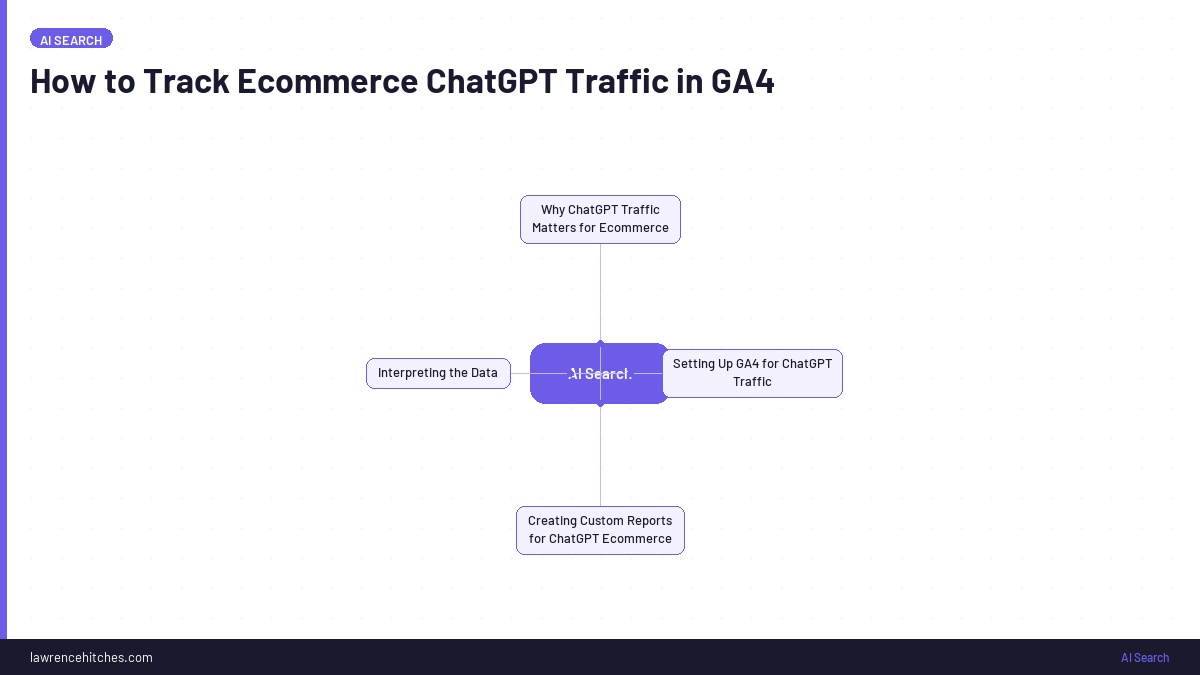
Step-by-step GA4 setup for tracking ChatGPT, Copilot, Gemini, Perplexity, Grok, and Claude traffic. Includes conversion benchmarks from 100 Australian ecommerce brands and $690K in tracked AI search revenue.
If you're running an ecommerce store, you've almost certainly got AI search traffic arriving right now. 91 out of 100 Australian ecommerce brands we studied are receiving ChatGPT referral traffic, whether they know it or not.
The problem: GA4 doesn't surface it by default. It sits buried in your referral data unless you know where to look and how to set up proper tracking.
This guide covers the full setup, from basic filters to the regex-based custom channel groupings we use at StudioHawk across 100+ ecommerce clients. Plus the actual conversion and revenue benchmarks so you know what to expect.
What the Data Actually Shows: 100 Brands, $690K in AI Revenue
Before we get into the setup, here's why this matters. We pulled 21 months of GA4 data (July 2024 to March 2026) from 100 Australian ecommerce brands to measure AI search performance against traditional channels.
| Channel | Sessions | Revenue | Conv. Rate | Rev/Session |
|---|---|---|---|---|
| Google CPC | ~12.8M | ~$77M | 3.3% | $6.00 |
| Google Organic | ~8.35M | ~$22M | 1.2% | $2.65 |
| Bing Organic | ~310K | ~$2.75M | 3.6% | $8.85 |
| ChatGPT | ~340K | ~$690K | 0.9% | $2.00 |
| Perplexity | ~3,400 | ~$7,500 | 0.9% | $2.20 |
| Copilot | ~1,500 | ~$4,000 | 2.3% | $2.70 |
| Gemini | ~2,200 | ~$2,500 | 1.0% | $1.15 |
| Claude | ~160 | ~$360 | 1.2% | $2.20 |
AI search combined: roughly 350,000 sessions and $700,000 in revenue over 21 months. That's real money. Not transformative for most individual brands yet, but this channel didn't exist two years ago and it's growing 19x year-on-year with zero ad spend.
The Conversion Rate Story Is More Nuanced Than the Headline
The aggregate ChatGPT conversion rate (0.9%) looks lower than Google organic (1.2%). But the aggregate hides two very different populations.
Brands selling specific, purchasable products convert well from AI traffic:
| Category | ChatGPT CR | Google Organic CR | Ratio |
|---|---|---|---|
| Printer supplies | ~8% | ~1.5% | 5x+ |
| Home appliances | ~3.3% | -- | -- |
| Skincare | ~3.1% | ~1.0% | 3x |
| Sun protection | ~2.8% | ~1.2% | 2.5x |
| Specialty food | ~2.6% | ~1.0% | 2.5x |
Brands receiving informational or aspirational traffic don't convert directly:
| Category | ChatGPT Sessions | Transactions | CR |
|---|---|---|---|
| Bridal (designer) | ~27,000 | 3 | 0.01% |
| Fashion outerwear | ~1,400 | 0 | 0% |
| Wine | ~1,000 | 0 | 0% |
At least from our client base, the high-intent traffic converts well and carries a higher average order value. ChatGPT AOV across the dataset (~$220) is higher than Google organic (~$215). For high-consideration products like furniture and home appliances, we're seeing AI-referred purchases worth $1,000 to $2,500.
One major Australian retailer recorded a 4.0% AI search conversion rate across ~8,900 sessions and ~$100,000 in revenue over 12 months. That's higher than their Google organic conversion rate.
How to Track ChatGPT Traffic in GA4
Here's the basic setup to surface ChatGPT referrals in GA4:
Step 1: Navigate to the Right Report
- Go to
Reports→Acquisition→Traffic acquisition - Change the primary dimension to
Session source / medium
Step 2: Filter for ChatGPT
- In the search bar above the table, type:
chatgptoropenai - Press Enter
- You should see session sources like:
chatgpt.com / referralchat.openai.com / referralchat.openai.com / (none)
This gives you sessions, users, engagement metrics, and conversions from ChatGPT. But ChatGPT isn't the only AI source sending traffic.
Track ALL AI Sources, Not Just ChatGPT
ChatGPT accounts for 98% of AI search traffic in our dataset. But the other sources have signal value, and Copilot's 2.3% conversion rate is actually the highest of any AI source.
Here are the source/medium patterns to filter for in GA4:
| AI Source | GA4 Source/Medium | Notes |
|---|---|---|
| ChatGPT | chatgpt.com / referral or chat.openai.com / referral | 98% of AI traffic. Domain changed from chat.openai.com to chatgpt.com in 2024. |
| Copilot | copilot.microsoft.com / referral | Highest AI conversion rate at 2.3%. Integrated into Edge and Windows. |
| Gemini | gemini.google.com / referral | Growing with Android integration. |
| Perplexity | perplexity.ai / referral | Research-heavy users. 0.9% CR, $2.20 rev/session. |
| Claude | claude.ai / referral | Smallest volume. Enterprise/developer user base. |
| Grok | grok.com / referral or x.com / referral | Newer. Integrated into X (Twitter). Watch this space. |
Set Up Proper AI Traffic Monitoring
The basic filter works for a quick check. But if you want ongoing monitoring, you need a proper setup. Here's what we configure for every ecommerce client at StudioHawk.
Option 1: Custom Channel Grouping (Recommended)
This groups all AI traffic into a single channel in your standard GA4 reports.
- Go to
Admin→Data display→Channel groups - Click
Create new channel group - Name it (e.g. "AI Search")
- Add a new channel called "AI Search"
- Set the condition:
Session sourcematches regex:
chatgpt\.com|chat\.openai\.com|copilot\.microsoft\.com|gemini\.google\.com|perplexity\.ai|claude\.ai|grok\.com - Save and apply
Now "AI Search" appears as its own channel alongside Organic Search, Paid Search, Direct, etc. in every standard report.
Option 2: GA4 Explore Report
For a detailed breakdown with revenue data:
- Go to
Explore→Create new exploration - Dimensions: Session source/medium, Landing page
- Metrics: Sessions, Engaged sessions, Engagement rate, Conversions, Ecommerce revenue
- Filter: Session source matches regex:
chatgpt|openai|copilot|gemini|perplexity|claude|grok - Save the exploration for quick access
This gives you a single view of all AI traffic with landing page breakdowns and revenue attribution.
Option 3: Looker Studio Dashboard
For ongoing monitoring, connect GA4 to Looker Studio and build a dashboard that segments AI traffic alongside your other acquisition channels. We built a free version you can copy.
Identify Which Pages AI Sources Link To
Once tracking is live, the next step is finding which specific pages AI models are sending traffic to.
- Go to
Reports→Engagement→Landing pages - Click "Add Filter"
- Filter by:
Session source / medium→matches regex→chatgpt|openai|copilot|gemini|perplexity|claude|grok - Click Apply
You'll see exactly which URLs AI models are recommending. In our experience, AI sources disproportionately send traffic to:
- Product pages with clear specs, pricing, and reviews
- Comparison and buying guide pages
- FAQ-rich category pages
- Brand homepages (for informational/awareness queries)
Troubleshooting: Why You Can't See AI Traffic in GA4
"I filtered for ChatGPT but nothing shows up"
- Check your date range. ChatGPT referral traffic started appearing for most ecommerce sites in mid-to-late 2024. If you're looking at older data, it won't be there.
- Try both domains. ChatGPT changed from
chat.openai.comtochatgpt.comin 2024. Search for both, or use the regex filter above. - Check consent mode. If your cookie consent banner is configured strictly, it may block the referrer header. The traffic arrives but GA4 attributes it to "direct" instead.
"The numbers seem too low"
- Ad blockers strip the referrer. Users with privacy tools or ad blockers send traffic that GA4 records as "direct" not "chatgpt.com / referral". The GA4 number is the floor, not the ceiling.
- GA4 has processing delay. Data can take 24-48 hours to appear. Don't check today's traffic today.
- The dark funnel effect. See below, this is the biggest factor.
"I see ChatGPT traffic but zero conversions"
- Check which population you're in. If you sell aspirational or high-touch products (bridal, luxury fashion, custom furniture), AI traffic may drive awareness but not direct online sales. That's normal. The bridal brand in our study had 27,000 ChatGPT sessions and 3 transactions.
- Check your landing pages. If users land on your homepage instead of a product page, conversion rates drop. AI models work best when they can link to a specific product that matches the user's query.
The Attribution Dark Funnel: What GA4 Can't See
This is the part every other guide on this topic misses.
There's an invisible attribution layer with AI search. A user asks ChatGPT "best running shoes under $200 in Australia." ChatGPT mentions your brand. But the user doesn't click the link in ChatGPT. Instead, they open Google, search your brand name, and buy through organic or direct. Or they come back three days later via a retargeting ad.
GA4 attributes that sale to branded organic, direct, or paid. ChatGPT gets zero credit, even though it drove the initial discovery.
This means the ChatGPT referral numbers in your GA4 are the floor, not the ceiling. The real influence is larger.
How to approximate the full picture:
- Track branded search volume over time. If AI visibility is growing, branded search queries often grow in parallel.
- Use keyword tracking tools to monitor how often your brand appears in AI responses (tools like AI search tracking platforms can help).
- Compare GA4 referral data with brand mention frequency. The gap between "times mentioned" and "times clicked" is your dark funnel.
The most consistent data we have right now is GA4 referral tracking combined with keyword monitoring. Together they build a more complete picture than either alone.
Use ChatGPT Landing Page Data to Optimise Your Ecommerce Pages
Once you know which pages AI models are referencing:
- Research. Prompt ChatGPT with queries related to your product category. See which of your pages it recommends and why.
- Analyse. Look at the content structure, schema markup, and format of your cited pages. What do they have that your other pages don't?
- Replicate. Apply the same structure to other ecommerce pages. The patterns that work: detailed product specs, clear pricing, FAQ sections, comparison tables, and rich product descriptions.
In our 100-brand study, the brands converting best from AI search all had three things in common: product pages with visible pricing, clear specs, and straightforward checkout. AI models recommend products they can describe precisely.
The Bottom Line: Track AI Search, But Don't Overinvest
AI search is real, it's growing, and it's generating measurable revenue for ecommerce brands. You should be tracking it.
But perspective matters. AI search currently represents roughly 3% of organic search revenue across our 100-brand dataset. Google organic and PPC are generating 50-100x more revenue for most brands. The brands showing up in AI search aren't doing anything special for AI. They're doing SEO properly. Good product content, clear site structure, strong topical authority.
Don't create a separate "GEO strategy" or redirect budget from channels that are working. Track AI search, understand the data, and let your existing SEO fundamentals do the heavy lifting. The brands that win in AI search are the same ones winning in Google.
Set up the tracking now. Review it monthly. Act when the numbers justify it.
The same work is packaged as free ready-made Claude SEO skills you can drop into Claude Desktop.
Sources & Further Reading
Enjoying this? The 60-second versions live on Instagram.
Follow @lawrenceaiseo →Soaring Above Search
Weekly AI search insights from the front line. One newsletter. Six sections. Everything that actually moved this week, with a practitioner's take.

AI SEO consultant and AI search consultant helping brands appear in AI Overviews, AI Mode and ChatGPT. Chief of Staff at StudioHawk, Australia's largest dedicated SEO agency. Runs a measured three-channel playbook: Google, Bing and AI citations. Book a free consultation →