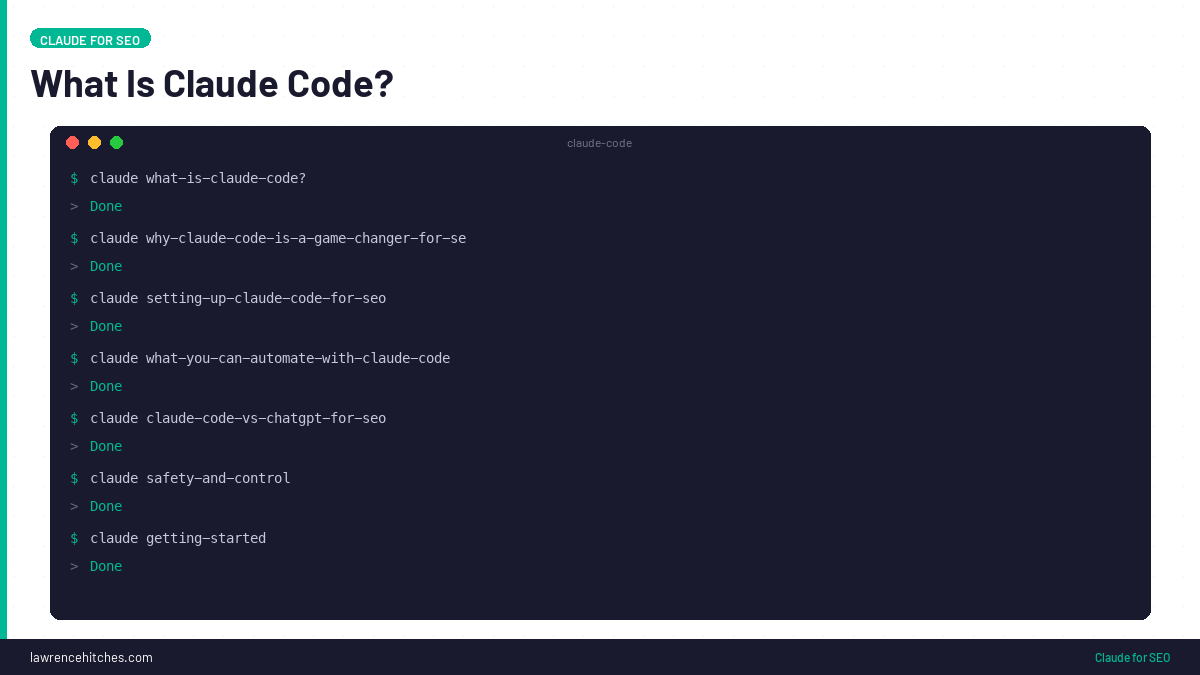
Claude Code is Anthropic's command-line AI agent. It reads your codebase, runs commands, edits files, and operates tools - all from your terminal.
For SEO, this changes everything.
Instead of manually auditing pages, rewriting meta tags, or building internal links one at a time, you can describe what you want and Claude Code does it. Across your entire site. In minutes.
I've been using it to automate SEO on this site - lawrencehitches.com - and the results have been significant. In a single session, I pushed 305 internal links across 73 posts, refreshed 5 high-impression pages, and deployed an HTML sitemap. All through conversation.
This guide covers exactly how to set it up and what's possible.
The Claude Skills the StudioHawk team runs across 500+ client SEO campaigns, open-sourced free (MIT licence) through Hawk Academy. Drop them into Claude Desktop and run agency-grade audits, content briefs, and reports.
Get the 29 Claude SEO Skills on GitHubWhat Is Claude Code?
Claude Code is a CLI tool from Anthropic that gives Claude (their AI model) access to your local file system, terminal, and browser. It's not a chatbot - it's an agent that can take actions on your behalf.
Key capabilities:
- Reads and writes files - it can edit your scripts, configs, HTML, Python code
- Runs shell commands - executes Python scripts, curl requests, git operations
- Uses browser automation - via MCP (Model Context Protocol) it can interact with web UIs
- Maintains context - remembers your project structure, preferences, and past decisions across sessions
- Schedules tasks - can set up recurring jobs that run autonomously
Think of it as having a senior developer who also understands SEO sitting in your terminal, ready to build whatever you describe.
Why Claude Code Is a Game-Changer for SEO
Most SEO tools help you analyse. Claude Code helps you execute.
The gap between knowing what to do and actually doing it is where most SEO strategies die. You know you need to fix meta descriptions on 50 pages. You know internal linking is weak. You know your content needs refreshing. But doing it manually takes hours - sometimes days.
Claude Code collapses that gap. Here's what I've built with it:
| Task | Manual Time | Claude Code Time |
| Audit meta titles across 164 posts | 3-4 hours | 5 minutes |
| Add 305 internal links across 73 posts | 2-3 days | 15 minutes |
| Rewrite 5 blog posts with updated content | Full day | 30 minutes |
| Build and deploy HTML sitemap | 1-2 hours | 3 minutes |
| Create SEOtesting tests for all changes | 30 minutes | 5 minutes (browser automation) |
| Recategorise 164 posts into topic clusters | 2-3 hours | 5 minutes |
Setting Up Claude Code for SEO
Prerequisites
- An Anthropic API key or Claude Max subscription
- Node.js installed (for the CLI)
- A WordPress site with REST API access (or any CMS with an API)
- Basic comfort with the terminal
Step 1: Install Claude Code
Install globally via npm:
npm install -g @anthropic-ai/claude-codeThen run claude in your project directory. It'll detect your codebase and start a conversation.
Step 2: Set Up WordPress API Access
For WordPress automation, you need an Application Password:
- Go to WP Admin → Users → Profile → Application Passwords
- Create a new password (name it something like "Claude SEO")
- Store the credentials in a
.envfile in your project
You'll also want a small plugin that exposes Yoast SEO meta fields to the REST API - by default, WordPress doesn't let you read or write _yoast_wpseo_title and _yoast_wpseo_metadesc through the API.
Step 3: Build Your Toolkit
Ask Claude Code to build a Python toolkit that wraps the WordPress REST API. In my case, this includes:
- wp_client.py - handles auth, rate limiting, CRUD operations for posts/pages/categories
- content_optimizer.py - meta rewriting, internal linking, content refresh
- monitoring.py - ingests SEOtesting CSV data, identifies quick wins
- ai_search.py - generates sitemaps, checks AI crawler access
The key insight: Claude Code builds the tools, then uses them. It writes the Python scripts, tests them, and then runs them against your live site.
What You Can Automate with Claude Code
Meta Title and Description Optimisation
Tell Claude Code to audit every post's meta tags against SEOtesting performance data. It identifies pages with high impressions but low CTR, rewrites the meta, and pushes the changes via the WordPress API. I optimised 3 quick-win pages in under 5 minutes - each with new titles, descriptions, and focus keywords.
Internal Linking at Scale
This is where Claude Code truly shines. I asked it to build a link graph across all 164 posts using a three-tier scoring system:
- Tier 1: Same category + slug word overlap (strongest signal)
- Tier 2: Same topic cluster from the config file
- Tier 3: Target post's title words appear in source content
It generated a dry-run plan, I reviewed it, then it executed - 305 internal links added across 73 posts. Each with contextual anchor text, no duplicates, max 5 per post. The entire process took about 15 minutes.
Content Refresh
Claude Code can fetch a page's current content via the API, analyse what's weak (outdated stats, missing sections, thin FAQ), generate a full rewrite, and push it back. It even creates backups before overwriting.
I refreshed 5 pages in a single session - including adding AI search engine sections, comparison tables, career path data, and updated statistics for 2026.
Category and Site Architecture
My site had 145 out of 164 posts dumped in a generic "SEO" category. Claude Code analysed every slug, matched posts to topic clusters using keyword rules, created new categories via the API, and reassigned all posts. Proper topical authority architecture in minutes.
SEOtesting Integration
Using browser automation (MCP tools), Claude Code can navigate to SEOtesting.com, create tests through the 4-step wizard, and log every change for before/after measurement. It filled in test names, URLs, tags, and dates - clicking through the UI the same way a human would.
Claude Code vs ChatGPT for SEO
| Capability | Claude Code | ChatGPT |
| Edit files on your computer | Yes | No |
| Run terminal commands | Yes | No (Code Interpreter is sandboxed) |
| Access WordPress API | Yes, directly | Only via custom GPTs with limited actions |
| Browser automation | Yes (MCP) | No |
| Persistent memory across sessions | Yes (file-based) | Limited |
| Scheduled recurring tasks | Yes | No |
| Build and run scripts | Yes - writes, tests, executes | Can write but can't run against your systems |
| Context window | Up to 1M tokens | 128K tokens |
ChatGPT is great for generating content and answering SEO questions. Claude Code is for doing the work.
Safety and Control
Autonomy doesn't mean reckless. Here's how to keep things safe:
- DRY_RUN mode: Every script should have a dry-run flag that logs what would happen without making changes
- JSONL audit logs: Every write action gets logged with timestamps, old values, and new values
- Rate limiting: The WordPress API client enforces 1 request per second to avoid overwhelming your host
- Backups: Content refreshes save the original HTML before overwriting
- Permission prompts: Claude Code asks before running destructive commands
Claude Chat vs Cowork vs Code: Which One Do You Need?
Claude comes in three modes and most SEOs use the wrong one. Claude Chat (claude.ai) is a browser conversation. Good for brainstorming and quick questions. Claude Cowork (in-IDE integration) sits inside your code editor and helps you write code while you work. Claude Code is a terminal agent that reads your entire project, runs commands, edits files, and executes multi-step workflows autonomously. For SEO, the difference is massive: Chat gives you advice, Cowork helps you build, Code does the work.
| Feature | Claude Chat | Claude Cowork | Claude Code |
|---|---|---|---|
| Where it runs | Browser (claude.ai) | Inside VS Code / IDE | Terminal / command line |
| File access | Upload only | Current project files | Full file system read/write |
| Run commands | No | Limited (IDE terminal) | Yes, any terminal command |
| Edit files directly | No | Yes, in current file | Yes, any file in project |
| API connections | No | No | Yes (MCP servers) |
| Multi-step workflows | Manual conversation | Code-focused assistance | Autonomous execution |
| Persistent memory | Limited | Project-scoped | File-based, survives sessions |
| Best for SEO | Quick questions, brainstorming | Writing build scripts, templates | Audits, bulk changes, automation |
| Cost | $20/mo (Pro) | Included with Pro | API credits or Max ($100-200/mo) |
Start with Claude Chat to learn what Claude can do. Move to Code when you find a workflow you want to automate. You'll know you need Code when you catch yourself copy-pasting between Claude Chat and your terminal more than twice in the same task.
What This Actually Looks Like: StudioHawk Results
At StudioHawk, we moved our entire SEO execution stack to Claude Code in early 2026. The results across 300+ client sites: technical audit time dropped from 2-3 hours to 15 minutes per site, internal linking sweeps that took a week now take 15 minutes (our last one drove +81% improvement in SEOtesting), monthly client reporting went from 2-3 hours per client to 15 minutes with better consistency, and bulk meta tag rewrites across 200+ pages complete in a single session instead of a multi-day manual process.
Specific wins from this site (lawrencehitches.com):
- 505 internal links injected across 261 articles in one build cycle
- Orphan pages reduced from 93 to 1 through automated link auditing
- 48 snippet leads written and injected across 8 pages in a single session
- 3 full article rewrites (6,900+ words) with data integration in one afternoon
- SEOtesting annotations, tests, and tracking created automatically through MCP browser automation
This is Claude Code doing work that would take a team of 3 analysts a full week. One person, one afternoon.
Common Claude Code Mistakes in SEO
The five mistakes that waste the most time when using Claude Code for SEO: running it without a project directory (Claude needs your actual site files, not descriptions), not using CLAUDE.md for project context (without it, Claude asks the same questions every session), asking it to generate data from memory instead of feeding it real exports (it will hallucinate keyword volumes and traffic numbers), making changes without version control (always use git so you can revert), and not saving workflows as skills (you end up rewriting the same multi-step prompt every time).
| Mistake | What Happens | Fix |
|---|---|---|
| No project directory | Claude can't read your files | cd ~/my-site && claude |
| No CLAUDE.md | Repeats setup questions every session | Write a CLAUDE.md with project context |
| Asking for made-up data | Hallucinated keyword volumes | Feed real CSVs from Semrush/Ahrefs/GSC |
| No version control | Can't undo bad changes | Always work in a git repo |
| Not saving skills | Rewriting prompts every session | Save to .claude/skills/SKILL.md |
FAQ
Do I need to know how to code to use Claude Code for SEO?
Not really. Claude Code writes the code for you. You describe what you want in plain English - "audit all my meta descriptions and fix the ones that are too short" - and it builds and runs the scripts. Basic terminal comfort helps, but you don't need to be a developer.
How much does Claude Code cost?
Claude Code requires either an Anthropic API key (pay per token) or a Claude Max subscription. For a typical SEO automation session - auditing 164 posts, rewriting meta, adding internal links - expect to use roughly $5-15 in API credits. The Max subscription ($100/month for 5x usage, $200/month for 20x) is better value for heavy use.
Can Claude Code break my website?
It can make changes, so yes, mistakes are possible. That's why dry-run mode, backups, and audit logs are essential. Start with DRY_RUN=true, review the planned changes, then flip to execute. Claude Code also asks for permission before running potentially destructive operations.
What CMS does Claude Code work with?
Any CMS with a REST API. WordPress is the most straightforward because of its well-documented API. Shopify, Webflow, Ghost, and headless CMS platforms all work. Claude Code can also directly edit static site files (HTML, markdown) if you don't use a CMS.
Is this the same as using AI to write content?
No. Claude Code is an automation and execution tool, not just a content generator. It builds scripts, runs audits, manages your site architecture, creates internal links, and pushes technical changes. Content generation is one small part of what it does - and you control the quality standards, style guide, and approval process.
Getting Started
If you want to try this yourself:
- Install Claude Code:
npm install -g @anthropic-ai/claude-code - Create a project directory for your site
- Set up WordPress Application Password
- Tell Claude Code: "I want to automate SEO on my WordPress site. Build me a toolkit."
- Start with a meta audit - low risk, high visibility into what's possible
Once you see Claude Code audit 164 posts and identify every missing meta description in 3 minutes, you'll understand why this is the future of SEO execution.
The same workflow ships as a free Claude SEO skills you can drop straight into Claude.
Run the Claude SEO audit skill at scale from the CLI.
Sources & Further Reading
Enjoying this? The 60-second versions live on Instagram.
Follow @lawrenceaiseo →Soaring Above Search
Weekly AI search insights from the front line. One newsletter. Six sections. Everything that actually moved this week, with a practitioner's take.

AI SEO consultant and AI search consultant helping brands appear in AI Overviews, AI Mode and ChatGPT. Chief of Staff at StudioHawk, Australia's largest dedicated SEO agency. Runs a measured three-channel playbook: Google, Bing and AI citations. Book a free consultation →