Claude is not a content generator. It is an SEO execution layer. Connect your tools, build reusable workflows, and scale your practitioner expertise - but stay in control. At StudioHawk, I run 40+ custom Claude skills across content generation, technical audits, competitor analysis, and reporting. This guide covers how I actually use it, not how most people think you should.
The Claude Skills the StudioHawk team runs across 500+ client SEO campaigns, open-sourced free (MIT licence) through Hawk Academy. Drop them into Claude Desktop and run agency-grade audits, content briefs, and reports.
Get the 29 Claude SEO Skills on GitHub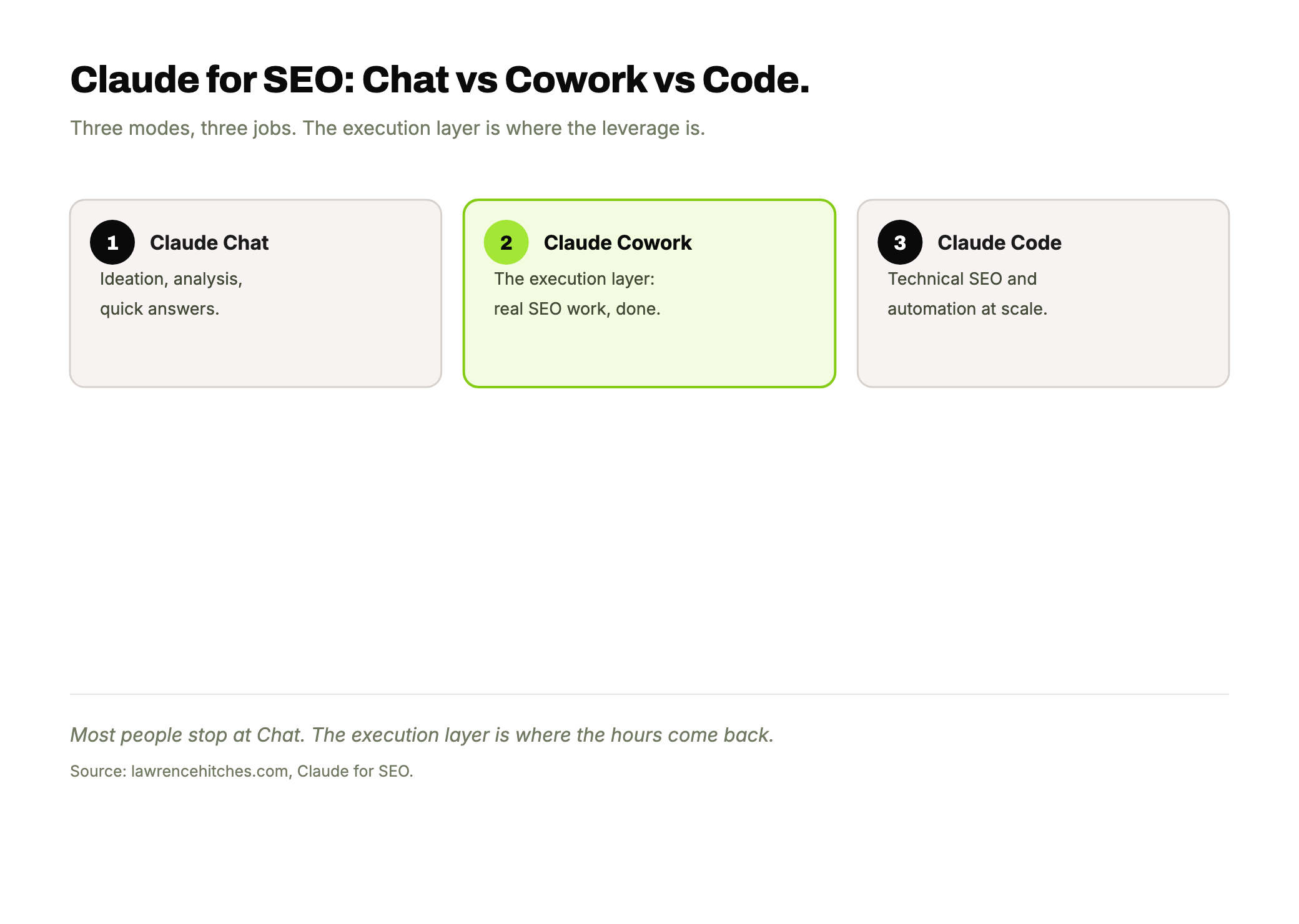
Why Claude Specifically for SEO
Most "AI for SEO" content is about using ChatGPT to write blog posts faster. That is the least valuable application of AI in SEO.
Claude is different because of Claude Code - Anthropic's command-line AI agent. Unlike chat-based AI, Claude Code can:
- Read your entire codebase and understand your site architecture
- Edit files directly - HTML, Python, JSON, CSS
- Run terminal commands and scripts
- Connect to external tools via MCP servers (Google Search Console, SEOtesting, WordPress, Screaming Frog exports)
- Execute multi-step workflows autonomously
- Deploy changes to production
That is the difference between an AI that gives you advice and an AI that does the work. ChatGPT tells you to "optimise your meta descriptions." Claude Code reads your 200 pages, analyses which meta descriptions underperform, rewrites them based on your brand voice, and pushes the changes live.
Claude Chat vs Cowork vs Code: Which One Do You Need?
Claude comes in three modes and most SEOs use the wrong one. Claude Chat (claude.ai) is a browser conversation for brainstorming and quick questions. Claude Cowork sits inside your code editor and helps you build. Claude Code is a terminal agent that reads your entire project, runs commands, edits files, and executes multi-step workflows autonomously. For SEO, the difference is massive: Chat gives you advice, Cowork helps you build, Code does the work.
| Feature | Claude Chat | Claude Cowork | Claude Code |
|---|---|---|---|
| Where it runs | Browser (claude.ai) | Inside VS Code / IDE | Terminal / command line |
| File access | Upload only | Current project files | Full file system read/write |
| Run commands | No | Limited (IDE terminal) | Yes, any terminal command |
| Edit files directly | No | Yes, in current file | Yes, any file in project |
| API connections | No | No | Yes (MCP servers) |
| Multi-step workflows | Manual conversation | Code-focused assistance | Autonomous execution |
| Persistent memory | Limited | Project-scoped | File-based, survives sessions |
| Best for SEO | Quick questions, brainstorming | Writing build scripts, templates | Audits, bulk changes, automation |
| Cost | $20/mo (Pro) | Included with Pro | API credits or Max ($100-200/mo) |
Most SEO practitioners start with Chat and never leave it. The real leverage is in Code. If you catch yourself copy-pasting between Claude Chat and your terminal more than twice in the same task, you need Code.
Deep dive: What is Claude Code? | Claude Cowork for SEO
The Execution Layer Approach
Here is the mental model that changes everything: Claude is not a tool. It is the execution layer that connects all your tools.
Most SEOs have their data scattered across 6-10 platforms - Google Search Console, Ahrefs, Screaming Frog, GA4, WordPress, Semrush, SEOtesting. They manually pull data from each one, analyse it in spreadsheets, then manually implement changes one page at a time.
With Claude as the execution layer:
- Connect your tools via MCP servers - GSC data, AI search tracking, CMS access, rank tracking all flow into one place
- Build reusable skills - each skill is a workflow you define once and run forever. An SEO content audit skill checks headings, internal links, word count, schema, and freshness in 30 seconds across any page
- Cross-check everything - this is critical. You can publish 100 blogs with Claude, but without cross-checking, fact-checking, and making sure Claude does not skip over the good stuff, you end up with generic content that does not rank
- Keep the human in control - Claude scales your expertise, it does not replace it. The information gain, the unique angles, the practitioner perspective - that has to come from you
What I Actually Use Claude For (Daily Workflows)
At StudioHawk, Claude is integrated into nearly every SEO workflow. Here are the ones I run daily:
Content Generation With Information Gain
Not "write me a blog post about keyword research." That produces the same generic content everyone else has.
Instead: pull SEOtesting data on a declining post. Run a query fanout to identify coverage gaps. Interview me for practitioner data. Produce a refresh plan with specific insertions. Then write the refreshed content in my voice using the Lorenzo writing skill.
The result is product-led SEO content - articles backed by real data that nobody else has. That is what ranks. We did exactly this on the utm_source=chatgpt.com article - injecting data from a 100-brand study that took it from a generic explainer to the definitive resource.
Technical SEO Audits at Scale
Claude Code reads your site's HTML directly. It can audit schema markup, check meta descriptions, validate FAQ schema, find broken internal links, and flag thin content - across hundreds of pages in minutes.
At StudioHawk, we built a technical SEO audit skill that checks 15 on-page factors per page and outputs a prioritised action list. What used to take a junior SEO a full day now takes Claude 10 minutes.
Internal Linking Automation
One of the highest-ROI applications. Claude reads all your content, maps the topical relationships, identifies orphaned pages, and inserts contextual internal links with varied anchor text.
We ran this across 236 articles on this site and added 726 internal links in a single session. Doing that manually would have taken weeks.
Competitor and Content Gap Analysis
Feed Claude a competitor's content and your own. It identifies what they cover that you do not, where your content is thinner, and which topics you should expand. The competitor analysis workflow pulls real search data and maps it against your existing coverage.
Title Tag and Meta Description Optimization
Claude analyses your top pages by impressions, identifies CTR opportunities, and generates title tag variations using proven formulas. We then A/B test these in SEOtesting to measure the actual click impact.
SEO Reporting and Monitoring
Connect Claude to GSC and SEOtesting via MCP servers and it can pull your weekly performance, identify winners and losers, flag content decay, and draft client reports - all from real data, not hallucinated metrics.
Tools and Setup: How the Execution Layer Works
The technical stack that makes this possible:
Claude Code
The foundation. Anthropic's CLI agent that reads files, runs commands, and executes skills. Available on Mac, Windows, and Linux. This is where you spend 90% of your time - not in the chat interface. Full Claude Code guide.
Claude SEO Skills
Reusable workflow templates stored as SKILL.md files. Each skill defines a multi-step process that Claude follows every time. At StudioHawk, we have 40+ skills including content audits, SEO workflow automation, title tag generation, internal linking sweeps, and information gain analysis. Browse the full skills library.
Claude Projects
Store client context (brand guidelines, keyword data, site structure, tone of voice) so every conversation starts informed. Instead of re-explaining your client's business every time, the project holds it all persistently.
MCP Servers
Model Context Protocol servers connect Claude to external tools. The ones I use daily:
- SEOtesting MCP - pulls performance data, content decay, striking distance queries, and creates tests and annotations directly from Claude
- Browser MCP - lets Claude interact with web pages, take screenshots, and verify changes
- File system - reads and writes to your local codebase
See the full MCP servers for SEO guide for setup instructions.
Claude Artifacts
Interactive outputs - charts, HTML previews, code snippets - generated inline. Useful for creating visual audits and reports you can share with clients. Claude Artifacts for SEO guide.
Claude vs ChatGPT for SEO
This is the most common question I get. The short answer: use both, for different things.
| Task | Claude | ChatGPT |
|---|---|---|
| Content ideation and brainstorming | Good | Better |
| Writing first drafts | Better | Good |
| Code editing and site changes | Claude Code | Cannot do this |
| Multi-step automated workflows | Claude SEO Skills | Cannot do this |
| Connecting to SEO tools | MCP Servers | Limited plugins |
| Technical SEO audits | Reads your actual files | Gives general advice |
| Deploying changes to production | Does it for you | Cannot do this |
| Maintaining context across sessions | Projects + memory | Custom GPTs (limited) |
ChatGPT is a thinking partner. Claude is an execution partner. The best setup is ChatGPT for initial research and idea generation, Claude for implementing the actual SEO work. For the full comparison, see Claude vs ChatGPT for SEO.
What Most People Get Wrong About Claude and SEO
Three mistakes I see constantly:
1. Using Claude as a content generator. You can publish 100 AI-generated blog posts. Without cross-checking, fact-checking, and making sure Claude does not skip over the good stuff, you will end up with blogs that look like every other AI-generated blog. Google's E-E-A-T framework rewards experience and expertise. Claude can help you scale those signals, but it cannot create them from nothing.
2. Not connecting it to real data. Claude giving you SEO advice based on its training data is just a fancier version of reading a blog post. Claude connected to YOUR Search Console data, YOUR analytics, YOUR ranking history - that is a different tool entirely. The MCP server setup takes 20 minutes. Do it.
3. Treating it as autonomous. Claude is the co-pilot, you are the pilot. The information gain, the unique perspective, the practitioner insight that makes content actually rank - that comes from you. Claude helps you scale it. Product-led SEO with Claude is the way to do it: your data, your expertise, your process - Claude just makes it faster.
Real Results: What This Looks Like in Practice
Some concrete outcomes from using Claude as the execution layer for this site (lawrencehitches.com):
- 726 internal links added across 236 articles in a single session - would have taken weeks manually
- 87 posts received FAQ schema (261 questions) - generated, validated, and deployed by Claude
- 249 unique blog images generated with category-specific visual styles
- 175 glossary terms created with internal links capped at 5 per article
- utm_source=chatgpt.com article refresh - injected 100-brand revenue data, added 23 internal links, expanded FAQ schema, deployed and live in one session. The post went from a generic explainer to the only article backed by real revenue data
- Meta descriptions custom-written for all 230 posts based on keyword targeting and click-through intent
Every one of these tasks was executed by Claude Code with skills I built. The strategy, the data, and the quality checks came from me.
Getting Started With Claude for SEO
If you are new to this, here is the progression:
- Start with Claude Code. Install it (
npm install -g @anthropic-ai/claude-code), open it in your site's directory, and start with simple tasks - "read this page and tell me what's missing from an SEO perspective." Full setup guide. - Build your first skill. Pick your most repetitive SEO task and write a SKILL.md file that defines the process. Content audits are a good first skill. Skills guide.
- Connect one data source. Set up the SEOtesting MCP server or connect to your WordPress API. Once Claude can read real data about your site, the value jumps dramatically.
- Build the habit of cross-checking. Every output from Claude needs human review. Check the facts, check the links, check the tone. This is not optional - it is the difference between scaling expertise and scaling mediocrity.
For free Claude-compatible SEO tools, check the Hawk Academy’s free SEO tools directory which includes Claude-specific resources.
All Claude for SEO Guides
What Is Claude Code for SEO?
Anthropic's CLI agent that reads your codebase, runs commands, edits files, and connects to SEO tools - the foundation of the execution layer approach.
Claude Skills for SEO Workflows
Build reusable AI workflows for content audits, meta rewrites, linking sweeps, and more. Build once, run forever.
Claude Prompts for SEO
The actual prompts that work for keyword research, content optimization, technical audits, and competitor analysis.
Claude vs ChatGPT for SEO
Both are useful. But they are fundamentally different tools - one gives advice, the other executes. Here is when to use which.
Claude Artifacts for SEO
Interactive outputs - charts, HTML previews, visual audits - generated inline for client reporting and analysis.
Claude for Competitor Analysis
Feed Claude your competitor's content and your own. It identifies gaps, thin coverage, and expansion opportunities.
Claude for Technical SEO Audits
Audit schema, meta tags, internal links, Core Web Vitals, and crawl issues across hundreds of pages in minutes.
Claude for Ecommerce SEO
Product descriptions, schema markup, and category page optimization at scale for online retailers.
Claude for SEO Content Writing
How to use Claude for content that actually ranks - information gain, practitioner voice, and editorial standards.
Claude MCP Servers for SEO
Connect Claude to Google Search Console, WordPress, SEOtesting, and other tools via Model Context Protocol.
Claude for Link Building
Prospecting, outreach templates, and digital PR campaign ideation powered by Claude.
Claude Projects for SEO
Store client context persistently so every conversation starts informed - brand guidelines, keyword data, site structure.
Claude Cowork for SEO
AI assistance inside your code editor. Build SEO scripts, templates, and automation tools with inline AI help.
Claude for Topical Maps
Build site architecture from a seed keyword using Knowledge Graph alignment. 7-step framework with copy-paste prompt included.
Claude for SEO Data Analysis
Combine GSC, SEOtesting, and Semrush data in one conversation. Process exports, identify trends, build reports.
Claude for Client Management
Build databases that scale across 100+ client accounts. Automate reporting, tracking, and communication workflows.
Claude Skills for Niche SEO
Industry-specific AI workflows for ecommerce, local, enterprise, and restaurant SEO with different tactics per vertical.
Claude for Keyword Research
Clustering, intent mapping, and gap analysis. Process keyword exports and build topical clusters at scale.
Claude for Enterprise SEO
Scaling audits, governance, and content operations across large sites with complex stakeholder requirements.
Claude vs ChatGPT: 15 Practitioner Questions
Direct answers to the questions SEO practitioners actually ask when choosing between Claude and ChatGPT.
FAQs
Is Claude better than ChatGPT for SEO?
They serve different purposes. Claude excels at execution - reading codebases, editing files, running scripts, connecting to SEO tools via MCP servers, and pushing changes live. ChatGPT is better for broad ideation and brainstorming. The best approach is using both: ChatGPT for research, Claude for implementation. Full comparison here.
What are Claude Skills for SEO?
Reusable workflow templates stored as SKILL.md files. Each skill defines a multi-step process that Claude follows every time. We run 40+ skills at StudioHawk covering content audits, meta tag optimization, internal linking, title tag generation, and information gain analysis. Browse the skills library.
What is Claude Code and how does it help with SEO?
Claude Code is Anthropic's command-line AI agent. It reads your codebase, edits files directly, runs terminal commands, connects to APIs via MCP servers, and executes workflows autonomously. For SEO, it can audit a site, rewrite meta tags across hundreds of pages, build internal link maps, and deploy changes.
Can Claude connect to Google Search Console and other SEO tools?
Yes, through MCP servers. Claude Code can connect to Google Search Console, SEOtesting, WordPress, and any tool with an API. This means Claude works with your real performance data rather than generic advice.
How many Claude SEO skills can you build?
No limit. We run 40+ at StudioHawk. Each skill is a markdown file. Content audits, competitor analysis, title tag optimization, link building prospecting, reporting - you can build a skill for any repeatable SEO process.
Is Claude good for SEO content writing?
Yes, but content writing is its least valuable SEO application. The real power is the execution layer - connecting tools, automating workflows, scaling expertise. You can publish 100 blogs, but without cross-checking and injecting genuine E-E-A-T signals, you end up with content that does not rank. Product-led SEO with Claude - your data, your expertise, Claude as the amplifier - is the approach that works.
Sources and Further Reading
- Claude Code documentation (Anthropic)
- Hawk Academy’s free SEO tools - Claude-compatible SEO tools directory
- Model Context Protocol specification
- SEOtesting - the testing platform referenced throughout
Soaring Above Search
Weekly AI search insights from the front line. One newsletter. Six sections. Everything that actually moved this week, with a practitioner's take.

Chief of Staff at StudioHawk, Australia's largest dedicated SEO agency. Specialising in AI search visibility, technical SEO, and organic growth strategy. Leading a team of 120+ across Melbourne, Sydney, London, and the US. Book a free consultation →